johanibraaten
David B Thanks, I'll try it out this evening.

David B Thanks, I'll try it out this evening.
Thanks for sharing, David B. Your velocity curve seems to work well with my N1X for the VSL 1887. I like your custom mix without the tube, but I also like it with the tube in the default player surround to stereo mix.
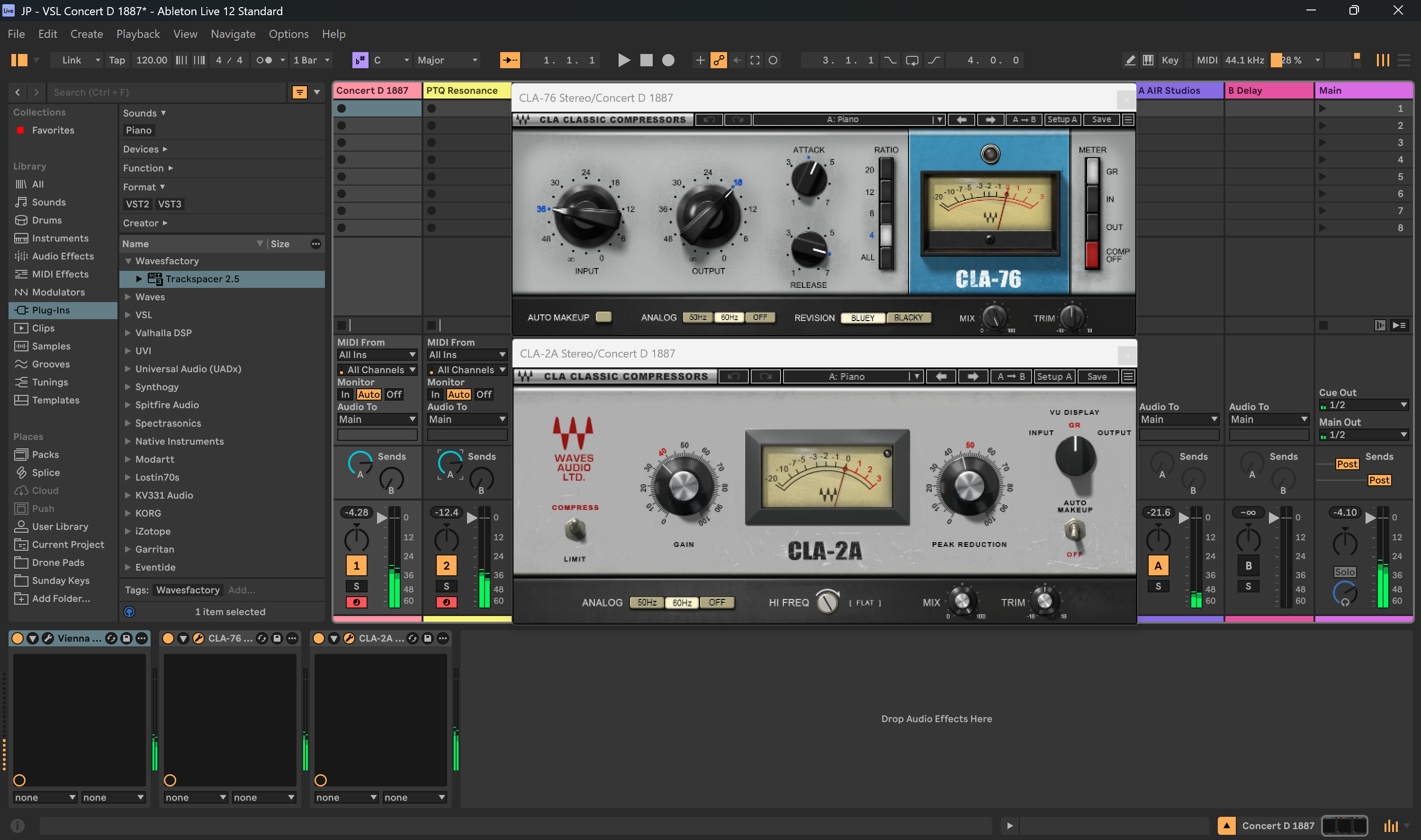
If I want it to move the piano sound forward, I stack the Waves CLA-76 (blacky/bluey) and smoothen with the CLA-2A together. I think these compressors might help reduce the boominess of 1887 and the piano tone seems unchanged, but I can’t be sure as my hearing is not great. Although, these compressors could be more useful when mixing with synths. 🤔
David B Hi David, I was not able to open your preset in the Synchron piano player. As I understand it it should be possible to drop it on the interface but it doesn’t work, any ideas?
Anyway, I played with the microphones myself and found a mix of the sphere mic and mid2 to work fine for me. I must say I like this piano, and I get some really nostalgic feelings when playing it. I used to be a part of a piano quintette for many years and where we used to rehearse they had an old Malmsjö (Swedish brand) concert grand from around 1900. That piano had the most lovely vintage sound and the VSL 1887 reminds me very much of that piano. I’ll have to play it some more but I can see myself buying it this autumn when (if) VSL have their yearly 40% discount for educators and students😊.
johanibraaten Hi David, I was not able to open your preset in the Synchron piano player. As I understand it it should be possible to drop it on the interface but it doesn’t work, any ideas?
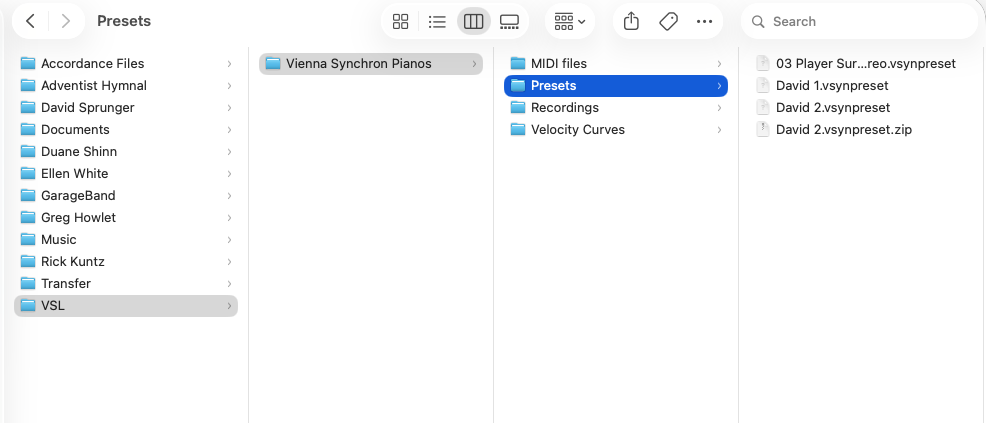
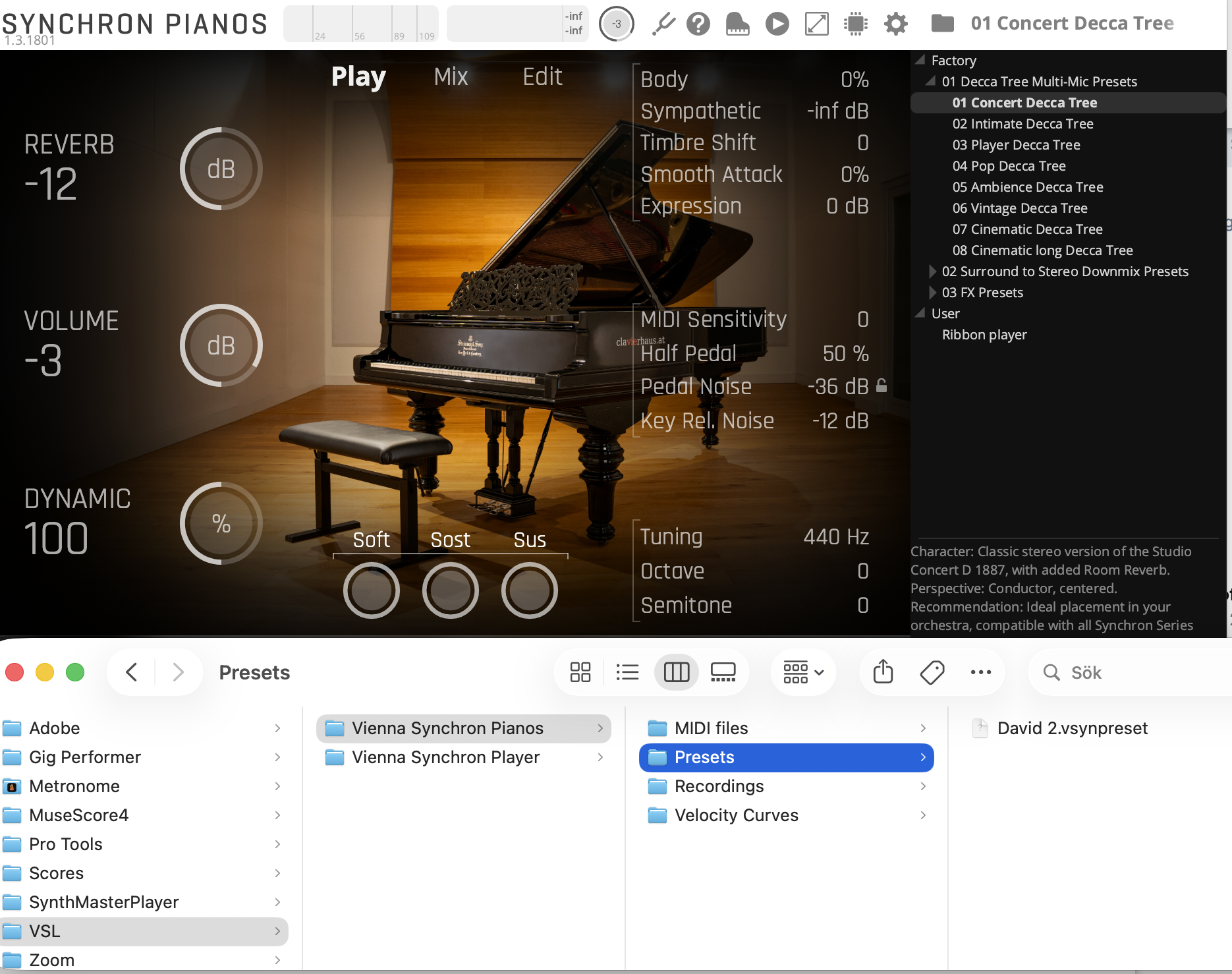
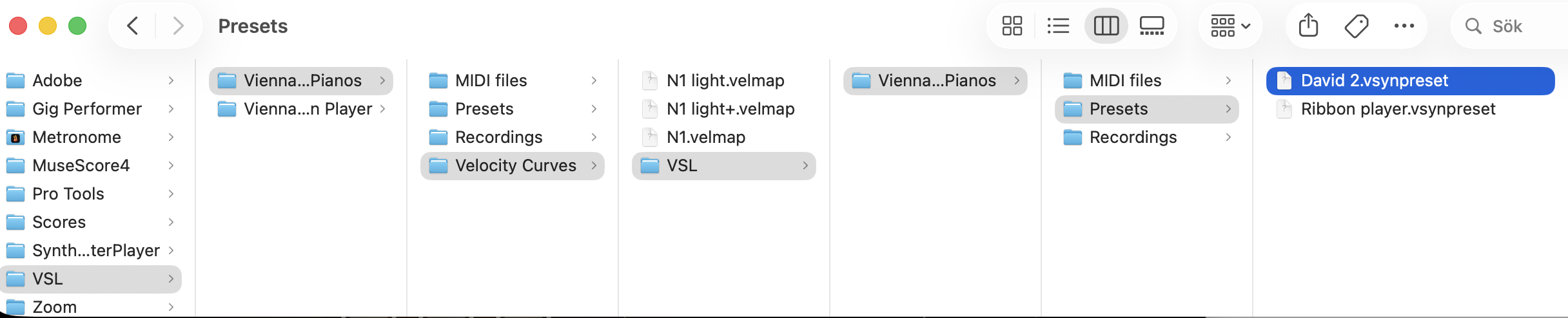
Add it to the folder that VSL creates for presets. The location on my Mac is in Documents and it says VSL. Follow that until you get to presets and drop it in with your other presets. It then should show up in the Synchron Piano player under the user section.
johanibraaten That piano had the most lovely vintage sound and the VSL 1887 reminds me very much of that piano. I’ll have to play it some more but I can see myself buying it this autumn when (if) VSL have their yearly 40% discount for educators and students😊.
I don't have any experience with real vintage instruments so there is no reference point for me. I did own the VSL Bluthner 1895, and while it sounded unique, I found the tone and dynamic range limited. I don't find that at all with the Steinway 1887. The tone is unique but contemporary enough and the dynamic range is very impressive. Soft, delicate, rounded tones to blooming, rich overtones. I love it.
God Bless,
David
David B Add it to the folder that VSL creates for presets. The location on my Mac is in Documents and it says VSL. Follow that until you get to presets and drop it in with your other presets. It then should show up in the Synchron Piano player under the user section.
Thanks, but I actually just did that and it didn't show up. Also my own presets that I've made isn't in that folder and I have no idea where they are located😊 Maybe VSL have changed something in a recent update?
johanibraaten Thanks, but I actually just did that and it didn't show up. Also my own presets that I've made isn't in that folder and I have no idea where they are located😊 Maybe VSL have changed something in a recent update?
johanibraaten restart your DAW just in case?
Vlad Thanks, found it! The preset folder has ended up in the velocity curve folder for some reason. I put David presets there together with my other custom preset and now it works. Is there a simple way to restore the default path?
johanibraaten Save your presets to another folder unrelated to VSL. Delete the original VSL folder and all its contents. Open the Synchron player and save a new preset (anything) and it will restore the defult pathway by creating a new VSL folder. Transfer your presets into the preset folder (restored pathway) and you're all set.
David B ave your presets to another folder unrelated to VSL. Delete the original VSL folder and all its contents. Open the Synchron player and save a new preset (anything) and it will restore the defult pathway by creating a new VSL folder. Transfer your presets into the preset folder (restored pathway) and you're all set.
So I did like you say but the new file structure becomes the same i. e. the VSL folder that should be right under the document folder is created in the (new) velocity curve folder. Not a big problem since it works but still strange.
Do the two of you have the same version of the software? Sometimes software developers shuffle things around for no obvious reason.
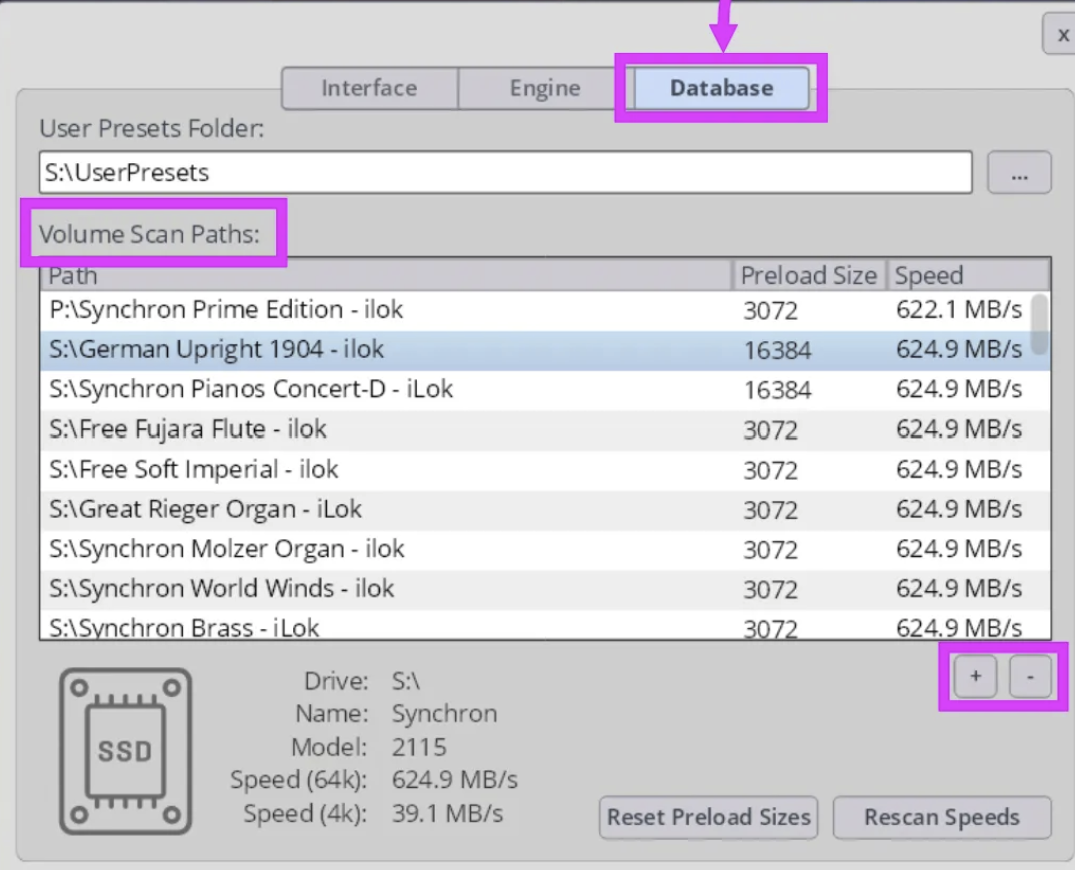
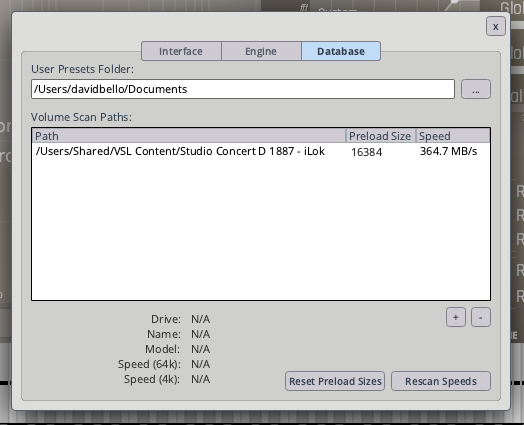
johanibraaten make sure you delete the original VSL folder in Donuments that has all the sub folders in it. There should be no VSL folder in your Documents. Then make sure the pathway is set correctly in the settings of the piano player. Mine says: /Users/davidbello/Documents
Then close out the piano player, reopen and create a new preset. That should work.
David B Now I got it right, thank you! The trick was to delete the scan path and point to the document folder again. I'm not at the piano now but tomorrow I'll try your preset.
johanibraaten Now I got it right, thank you! The trick was to delete the scan path and point to the document folder again. I'm not at the piano now but tomorrow I'll try your preset.
There is the volume scan path for your samples and there is the user preset folder path above that. The user preset folder path is the one you want to change if need be.
David B Now I tried your preset and I think it’s quite good. It’s a good tonal balance between the mics for a players perspective. I changed the velocity curve though to suit my controller better. It’s a really is a nice piano to play with a truly vintage vibe. I still struggle a little to dial in the velocity curve as I feel it’s more challenging to know how such instrument should feel in reel life compared to a modern grand. The shift in timbre can feel a little jumpy but I have a feeling that the voicing of this instrument behaves like that to a certain degree. Great release from VSL.
johanibraaten I still struggle a little to dial in the velocity curve as I feel it’s more challenging to know how such instrument should feel in reel life compared to a modern grand. The shift in timbre can feel a little jumpy but I have a feeling that the voicing of this instrument behaves like that to a certain degree.
The timbre variation is one of the strong points of this instrument for me. Try using the midi record/playback feature to hear what you're playing and that will help you dial in your velocity curve. The new midi update is such a useful feature for evaluation of sound and final recording. Just grab the last performance that sounds the best and render it. No need to keep hitting the start and stop record button in a DAW. Pretty cool.
God Bless,
David
Sorry David, I didn't see this post. I'd be quite happy with what I have (CFX, Steinway D, B. Imperial, and Blüthner). I do a lot of practise without the pedal, but Vienna Imperial is necessary for when I need it. Vienna Imperial is a perfect implementation for me with the 2013 pedal update -apart from the tuning issues. I'm sure they fixed the tuning in the Synchron version, but then the pedalling isn't good enough. I would love to get the 1887 with the old V.Imperial engine.
David B The timbre variation is one of the strong points of this instrument for me.
I agree, and I think a distinkt variation in timbre through the dynamics is one thing that make a piano transfer well to a visual one, especially in playing feeling. About the jumpy feeling, what I meant is that pianos from this era have much less felt on the hammers so the transition between different tonal character through the dynamics can feel "steppy" and less smooth compared to a modern piano and I experience that in this VI too. Thanks for the tip with the midi player, that's probably a good idea.