OlivierW
jenpal i will fix this quickly

jenpal i will fix this quickly
Hi erW,
Thank you very much for the report and the recording, it was exactly what I needed.
I found the cause. When you change chords with the pedal (C → Dm → G/E → G/F), PianoToLife takes over the previous bass notes with its own strings, using partials measured from your piano's sound. A new chord struck right next to one of those partials could leak into that measurement: in your recording, the B and G of the G/E chord made two high harmonics of the D in the bass much too loud. They then rang as two pure tones "between the notes", which is the strange extra note you heard. It could happen more or less at random, depending on the chords.
The fix is done and is being tested. It will be in PianoToLife 9.0.4, together with some interface polishing. I'll post here as soon as it's out.
Thanks again for helping make it better!
Olivier
jenpal https://github.com/owfrappier/PianoToLife/releases/latest
many thanks , fixed in 9.0.4
Hi JenPal,
PianoToLife 9.0.4 is out, with the fix for the stray note you reported:
https://github.com/owfrappier/PianoToLife/releases/tag/v9.0.4
Your recording made it easy to track down. When you changed chords with the pedal down (Dm → G/E), PianoToLife misread the new chord as part of the previous one. It then kept playing two harmonics of the D in the bass (around C5 and G#5, a quarter-tone off) as if they were real strings. It was an old weakness in how PianoToLife measures each string. It became audible from 8.2.12 onwards, when the half-pedal and caught strings started playing much closer to full level. That's why 8.2.8 didn't have it.
Since the fix, chord changes are clean on my side. Repeated notes also sound more in tune, and CPU use dropped a bit too.
Could you try your C → Dm → G/E → G/F passage again and tell me if it's gone? If you still hear something, please send me:
Thanks again for the report, it was an important one!
Olivier
pianow Hi PianoNow,
Yes, that is exactly what PianoToLife is made for. With VSL pianos you need to use the Host Sustain pedal mode (the default):
How to use it in your DAW: PianoToLife is an instrument plug-in (AU / VST3, or a standalone app), not an effect.
For the best result, run the automatic capture once with the Imperial (about 35 minutes): PianoToLife plays every note and builds a resonance model of that exact piano.
It's free, for macOS 14+ (Apple Silicon) and Windows 10/11:
https://github.com/owfrappier/PianoToLife/releases/latest
Have fun, and tell me how it goes with the Imperial!
Olivier
PianoToLife 9.1 is coming soon, with a more beautiful interface… and something hiding inside the piano.
Open the drawer and you'll see. 🙂
9.1.2 is out
https://github.com/owfrappier/PianoToLife
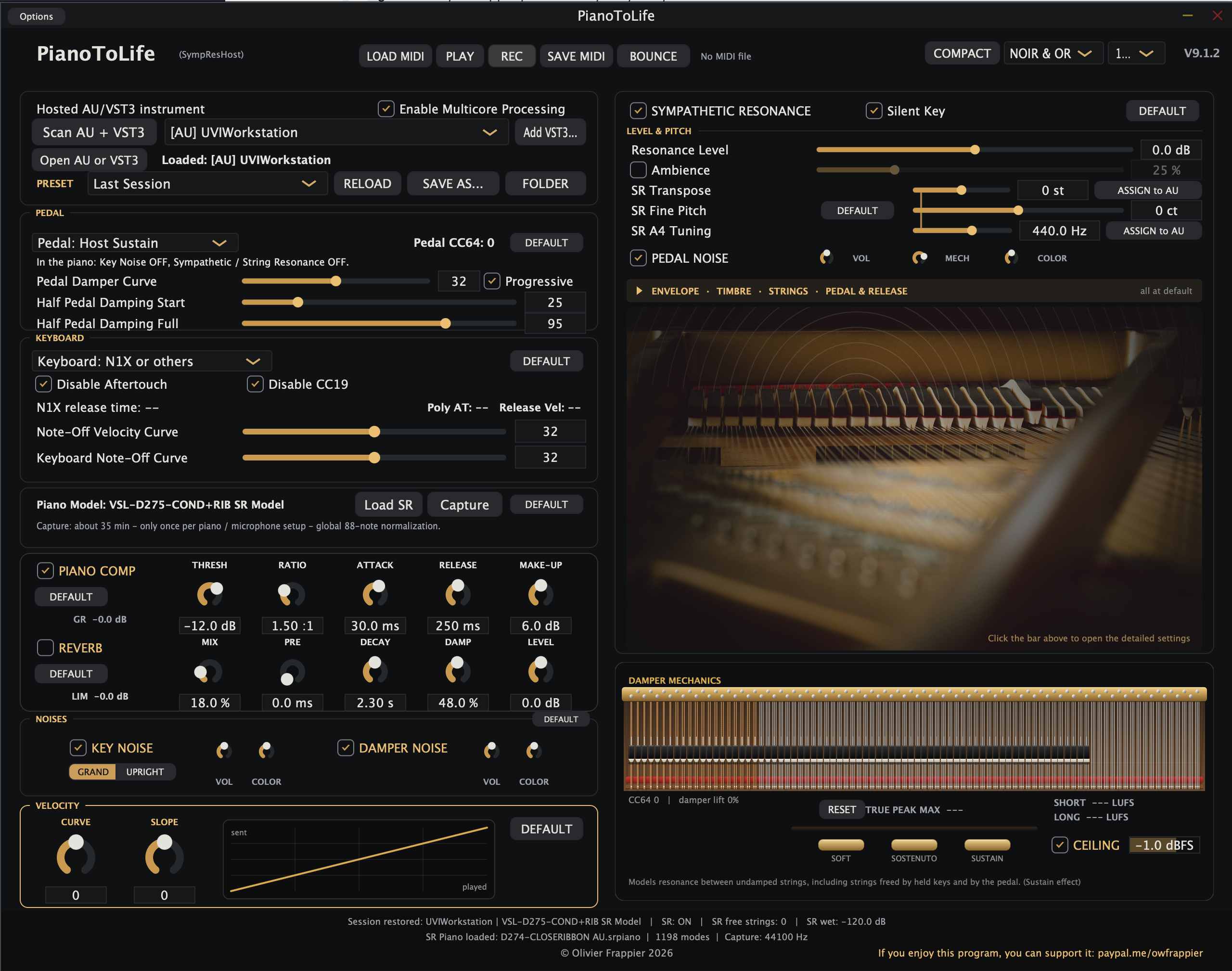
new interface :
Windows Narrator / NVDA and macOS VoiceOver: every control has a spoken name and help, Tab follows a logical order, and sliders can be moved from the keyboard.
Thanks for the update, OlivierW. I love the new look and the damper mechanics, which help visualise half-pedalling. 😍
I’ve been playing a few of my Native Instruments now since the added sympathetic resonance, which makes them sound richer. I’ve already added and captured the individual resonance of my Noire, Grandeur, and Claire, plus more instruments to come.
PianoToLife is now my go-to app for loading my VSTs. Since I have many VSTs, it makes switching much easier and quicker. However, I prefer not to have the pop-up of the VST window and the prompt asking to load presets when changing a preset (and I just wait for few seconds to allow the VST to fully load). 🙂
jenpal Thank you so much, jenpal! It's great to hear PianoToLife is now your launcher for your NI pianos, and that Noire, Grandeur and Claire are calibrated.
I use it myself with these Kontakt pianos. Their built-in sympathetic resonance can't bridge the sustain and the resonance between keys, because the two are treated as separate phenomena, in layers that sometimes contradict each other. In a real piano, everything is interaction: the strings, the dampers, the pedal and the soundboard all work together. PianoToLife models them as one system. That's why it brings back the life of many high-quality sampled pianos whose resonance scripts sound too artificial.
Good point about the window pop-up and the preset prompt when switching quickly. In the next version, both will be options you can switch off, and the setting will be remembered.
Thanks for the feedback!
OlivierW Just wanted to say, I've been playing around with your resonance plugin for the past day or so and I'm super impressed by what you've managed to accomplish here. To be honest, I wasn't expecting much when I first downloaded it, but the whole thing actually works way better than I was expecting. The overall operation is incredibly smooth, and I'm really enjoying trying it out on various piano VSTs. So far I've done captures all of my VSL pianos as the Korg SGX2 and a few Kontakt pianos, and everything has worked flawlessly so far.
I'm also really impressed by how quickly you are issuing updates - it seems like every time I check, there have already been 3 new versions released. 😆
Anyway, many thanks for sharing this project with everyone. You are clearly very passionate about it, and have managed to channel this passion into something that I believe is genuinely unique and useful for the larger community.
Keep up the good work! 👏
idk how to thank you man, these problems with vsl pianos has make them unusable for me since i discovered them, and since the imperial is my all time favorite piano vi i was heart broken the moment i noticed this issue (it rendered my go-to piano completely useless) now you've changed that and i am personally grateful,
it's actually crazy how a single man can produce such an amazing piece of software (and it's free)
and it's even crazier that the actual developers of the synchron imperial basically didn't give a shit about their stuff even though they have the money, time and the resposability to fix such stuff especially when users point them out, again thanks a million times man, keep up the amazing work😊
Thank you all, these messages mean a lot to me.
jdg78 Captures of all your VSL pianos, the Korg SGX2 and several Kontakt pianos, all working flawlessly: that's the best test report I could hope for. And yes, the updates come fast. Your feedback here goes straight into the next version. 😄
pianow That message made my day. Bringing your favourite piano back to life is exactly why I started this project.
A word about VSL, though: I really love their pianos. The Synchron recordings are among the most beautiful and detailed sampled pianos available, and that's why they respond so well in PianoToLife. The richer the samples, the more natural the resonance it can build from them. Every sampled piano has the same limit: it switches between pedal-up and pedal-down recordings, with nothing in between. PianoToLife just adds that missing link, from the way you actually use the pedal.
If anyone at VSL ever reads this: I'd be glad to share what I've learned along the way. PianoToLife shows some of the tricks that can bring out the full potential of your instruments, and I'm at your disposal.
Thanks again to all of you. This kind of feedback is what keeps me going.
Olivier
Today I found some time to try out your program @OlivierW and I’m impressed with your work. I tried it with VSL CFX and it seems to work quite well. It particularly solves one issue compared to VSL:s resonance and that’s the resonance effect you get when playing some notes and hold the keys while pressing the pedal afterwards. That effect is lacking in’s VSL Synchron pianos. I have one question- is it possible to re-map the midi message for silent key press? My controller (Yamaha N1) I from before that was a thing in standard midi and it sends the Disklavier XP (damper position 127) for silent key press which is translated to ”Aftertouch 127” in standard midi. Currently, the only plugin I know of that I can get silent key press to work properly is in Pianoteq.
Great work Oliwer and thank you for sharing it for free for us other to enjoy.
@OlivierW I'm still really loving your plugin. And since you are incorporating feedback, I had an idea for an additional feature that I wanted to run by you.
As you know, many piano VSTs lack a dedicated set of una corda samples. While some offer a simulated effect achieved via programing, others have absolutely no built in soft pedal functionality, which limits their usefulness.
For VSTs such as this, I wonder if there is a way your plugin could be programed to create a convincing una corda pedal simulation based on the actual samples, similar to how it uses the existing samples to create a simulated resonance effect.
In the past, I've tried programming something similar for Kontakt via the scripting panel, but to be honest the capabilities of Kontakt are pretty limited, and the results are not all that convincing. And of course this solution only works for Kontakt pianos, so instruments on other platforms are out of luck.
However, if this effect could be programmed into a universal hosting plugin such as yours, it could be applied to any piano that requires it.
Of course this feature would need be optional, so that if the piano already comes with its own set of dedicated una corda samples, the simulated versions could be bypassed in favor of the real ones.
Although I lack the necessary engineering skills to do it myself, it seems to me that this could (in theory) be achievable via your plugin - what do you think?
johanibraaten thank you so much, I'm really glad it works well with the CFX! The held-keys-then-pedal resonance was one of the things I worked hardest on, so it's great to hear you noticed it.
About silent key presses on the N1: yes, this can be done. PianoToLife already treats Note On velocity 1 as a silent key. It's muted everywhere (the hosted piano never receives it), but the damper is lifted, so the string rings sympathetically with the harmonics you play. So I'd just need to translate the N1's poly aftertouch 127 into that silent key. It won't clash with the N1X / P-525 mode, which reads aftertouch values around 20–33.
To get it exactly right, could you send me a short MIDI recording from your N1 (plain MIDI, as received by your DAW) with:
1. a silent key press, held a few seconds, then released,
2. the same, but played while holding the sustain pedal and then releasing the pedal,
3. a normal soft note, released slowly,
4. a note re-pressed before it has fully come back up (the "aftertouch 32" case).
The main thing I need to see is what the N1 sends when a silent key is released (a Note Off, or aftertouch going back down). You can post it here or open an issue on GitHub. Thanks again for the kind words!