Skip to content

Virtual piano comparison

MacMacMac

David B ... hoping to find out if Kontakt 6 would enable me to adjust the velocity curve editor better (to no avail).

Kontakt has a limited "graphing" capability. It's just a series of bars (128 of them, I think), and you can grab any one of the bars and adjust it, up or down.

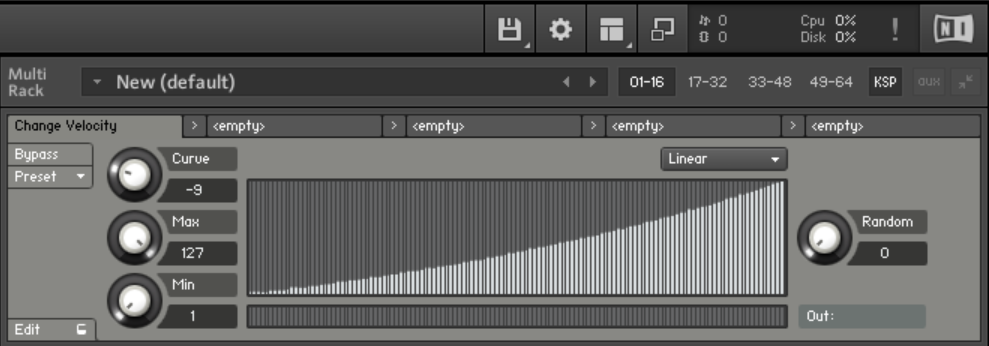
This graphing unit can be used for a number of things. It's often used as a velocity editor. But hand mousing the bars stinks, so some instruments include knobs that provide curve shifting. That's far better than one-bar-at-a-time tweaking, but it still stinks.

I gave up on that LONG ago. Instead I use a freeware program called (simply enough) Velocity Curve. It runs on Windows. It works much like the velocity editor in Pianoteq (which is the ONLY good feature in Pianoteq IMO). It's very easy to use.

Velocity Curve reads from your main MIDI input device and sends the adjusted MIDI to a selected output. To connect it to Kontakt you need some MIDI plumbing, easily provided by loopMidi (also freeware). You send the Velocity Curve output to "LoopMidi 1", and you tell Kontakt to read from "LoopMidi 1". Simple.

The author (Trombettworks) no longer has a web site. But I can provide you the program. I've had it stored on Google drive for the benefit of anyone who wants it:
drive.google.com/file/d/1xKYhwCc9l_N9NThPnZJJUPpp-CH_ImRy/view?usp=sharing


HZPiano

MacMacMac for the benefit of anyone who wants it

Thanks @MacMacMac for sharing. As I already use LoopMidi for various 'plumbing' (as well as MIDI-OX) I'll try that .exe as well. Just downloaded it.

@David B would need some Apple-compatible equivalent(s), although he's already done the hard work in Kontakt.

Cheers and happy pipelining,

HZ


David B

MacMacMac This graphing unit can be used for a number of things. It's often used as a velocity editor. But hand mousing the bars stinks, so some instruments include knobs that provide curve shifting. That's far better than one-bar-at-a-time tweaking, but it still stinks.

Yes, one bar at a time is tedious. However, if there was a way to make the graph bigger it wouldn't be so bad. I would imagine there is some way to increase the size using the script editor, but that's beyond my capability. I'm still looking into it though.

God Bless,
David


vagfilm

David B if there was a way to make the graph bigger

Unfortunately, I don't think there is... And my 2 cents: don't get anywhere near the script. Galaxy has very convoluted scripts impossible to understand.


Frédéric L

David B Most commercial libraries for Kontakt have their scripts locked (you need a password to access them).

But, if UI elements are just drawn, it might be possible to change their geometry.

On Bechstein Digital Grand, there is a large waveform : 88 settings which take nearly the whole width of the window.


dore_m

vagfilm Galaxy has very convoluted scripts impossible to understand.

My thoughts exactly.


MacMacMac

You can write your own Kontakt script to do this. I've done a velocity editor in Kontakt's KSP ... but I abandoned it because the 128-bar thing is a pain. I much prefer my other solution.

But if you wish you can add a global velocity curve script (a multi-script in their parlance) ... or you can have an individual script for each loaded instrument (though I've never tried that).

As vagfilm has pointed out, the scripting built into each instrument is cryptic. But you need not look at those at all. You can add your own scripting to do the job. And you can get help at the Kontakt scripting forum. One of the developers at Native Instruments (he calls himself Evil Dragon) provides assistance. He knows KSP inside and out, and he helped me get started with it long ago.

And I think vagfilm is right in that you cannot enlarge that 128-bar adjusto-thingie graph. The size of many (most?) visual elements is fixed.


vagfilm

I think it is fairly easy to add the mapping directly to the script AFTER you are set with the curve values, but it does not save you from painstaking adjustment. But you can do an hybrid approach: use a tool such as what Mac suggested to finetune the curve, and then embed it on the script.
In a couple of days I will have more time and will look into the script.


vagfilm

@David B
I have made a small Kontakt script for velocity mapping. It is convenient and can be adapted to any Kontakt library, but it still is a pain to fine tune the curve...

What you do is:

  1. Open Kontakt and the library (Noire in this case)
  2. Click the KSP button on the top right (below the NI logo and CPU meter)
  3. On the window that opens, paste the following code:

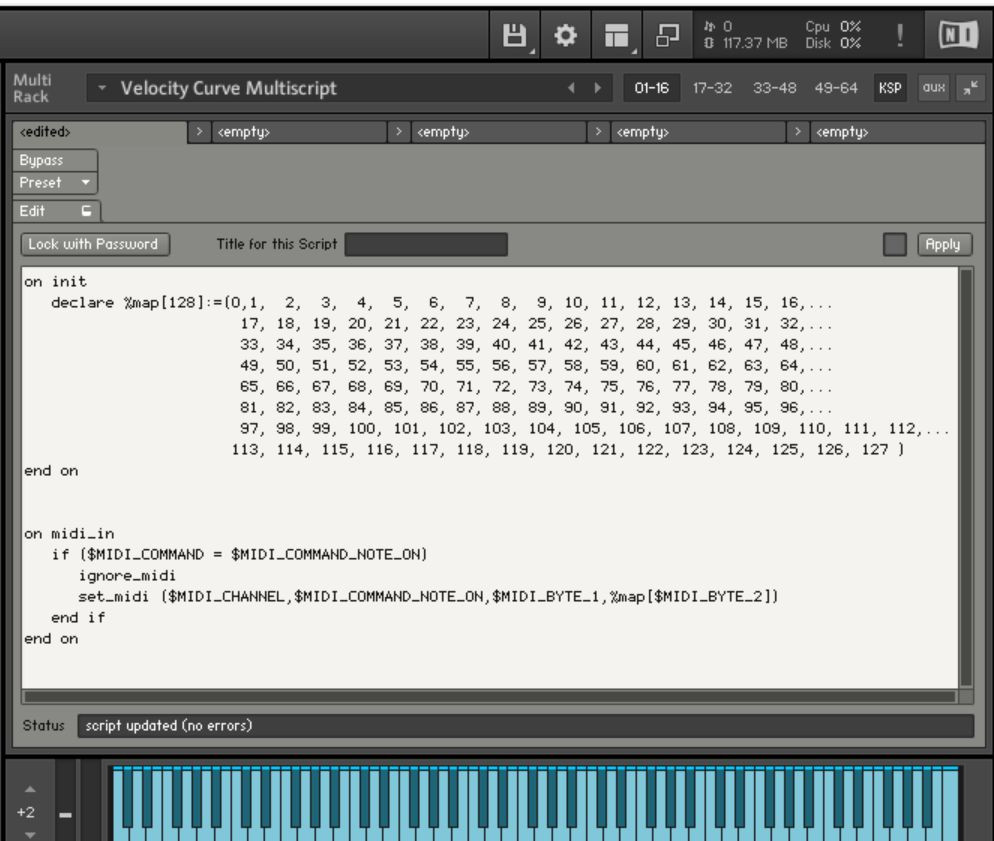
on init
declare %map[128]:=(0, 1, 2, 3, 4, 5, 6, 7, 8, 9, 10, 11, 12, 13, 14, 15, 16,...
17, 18, 19, 20, 21, 22, 23, 24, 25, 26, 27, 28, 29, 30, 31, 32,...
33, 34, 35, 36, 37, 38, 39, 40, 41, 42, 43, 44, 45, 46, 47, 48,...
49, 50, 51, 52, 53, 54, 55, 56, 57, 58, 59, 60, 61, 62, 63, 64,...
65, 66, 67, 68, 69, 70, 71, 72, 73, 74, 75, 76, 77, 78, 79, 80,...
81, 82, 83, 84, 85, 86, 87, 88, 89, 90, 91, 92, 93, 94, 95, 96,...
97, 98, 99, 100, 101, 102, 103, 104, 105, 106, 107, 108, 109, 110, 111, 112,...
113, 114, 115, 116, 117, 118, 119, 120, 121, 122, 123, 124, 125, 126, 127 )
end on

on midi_in
if ($MIDI_COMMAND = $MIDI_COMMAND_NOTE_ON)
ignore_midi
set_midi ($MIDI_CHANNEL,$MIDI_COMMAND_NOTE_ON,$MIDI_BYTE_1,%map[$MIDI_BYTE_2])
end if
end on

  1. It should look like this:

  2. On the Kontakt menu, click on the "floppy drive icon", choose "Save Multi as..." and save the .nkm file to your location of choice (I suggest the Noire Instrument folder, and name it, for example, "Noire - custom velocity.nkm"), and click the option "patch only" on the save file dialog). When you first launch the nkm instrument it will ask you to use that multi for all instruments. Once in memory, that velocity curve is now applied to all libraries. If you need custom velocity curves for each library (most certainly), when you launch the nkm for the second library, it will replace the one in use, and so forth...

  3. If you look at the code, the velocity is set as linear: 0-127 in steps of 1. Now comes the boring part... What you need is to create a table of velocity-in / velocity-out. My suggestion is to make an excel with one vertical column with values 0 through 127 in the rows. Now start populating a second column with a few mapping values: vel 40 will be 30, vel 60 will be 40 (really flat curve!!!), vel 80 will be 90 (sharp rise), etc. Now fill in values in all empty excel cells. When done, copy the series of values of that second column, and paste into a word doc (paste as "text only" otherwise it will paste as excel object and it will mess everything). Click "Select All", "replace" and replace "p" (code for paragraph break) with ",". It should have changed from:
    1
    1
    2
    2
    3
    3
    to: 1,1,2,2,3,3,

Copy that series of numbers and paste into the script code into the %map variable. Click "apply" on Kontakt and see if the velocity is ok.

Two words of caution:

  • keep the first two values as "zero" and "one", because vel=0 is a note off for most libraries, and vel=1 is a silent note for a few libraries.
  • remember that %map needs to have exactly 128 values separated by ",": thus it should always be:
    declare %map[128] := (0,1, 126 more numbers)

I agree: not the most straightforward process, but that is Kontakt.

Hope it helps...


vagfilm

If this velocity script is of interest to a few, let me know and I may write a simple Python script to generate a full velocity curve from a list of mappings. You simply provide a few mapping points velocity-in, velocity-out such as:
2,2
10,8
60,40
90,72
127,120
and the program will generate the entire range of 128 values, ready to be copied and paste into the Kontakt script.


MacMacMac

As much as I dislike that 128-bar thing in Kontakt ... wouldn't it be easier to use freeware KSP code to create a velocity curve element ... and adjust those bars to suit? Once adjusted the bar values can be made persistent.


vagfilm

You mean this default Kontakt velocity mapper?

Sure, but it is a pain to adjust those bars (every time I want to adjust one bar, I end up altering the neighboring bars). So, I prefer an equally unfriendly solution but that at least I can control with ease.

If instead you mean using the KSP GUI editor to create a velocity editor from scratch, that is out of my depth...


David B

vagfilm I have made a small Kontakt script for velocity mapping. It is convenient and can be adapted to any Kontakt library, but it still is a pain to fine tune the curve...

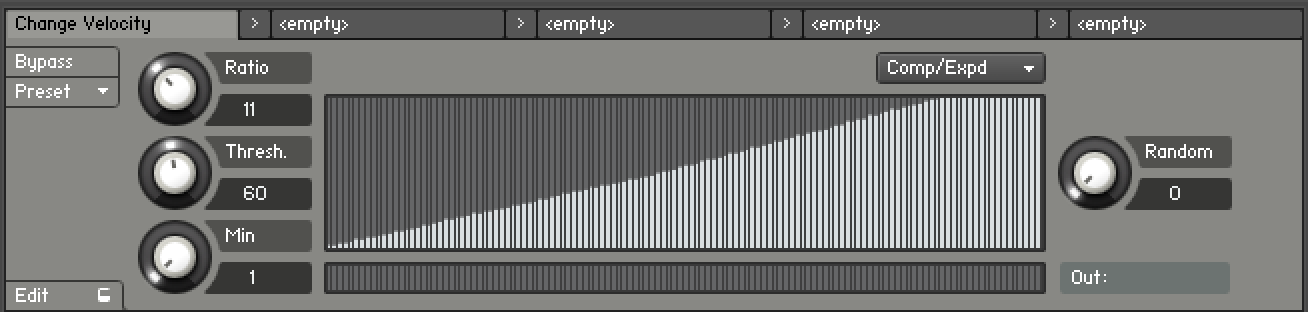
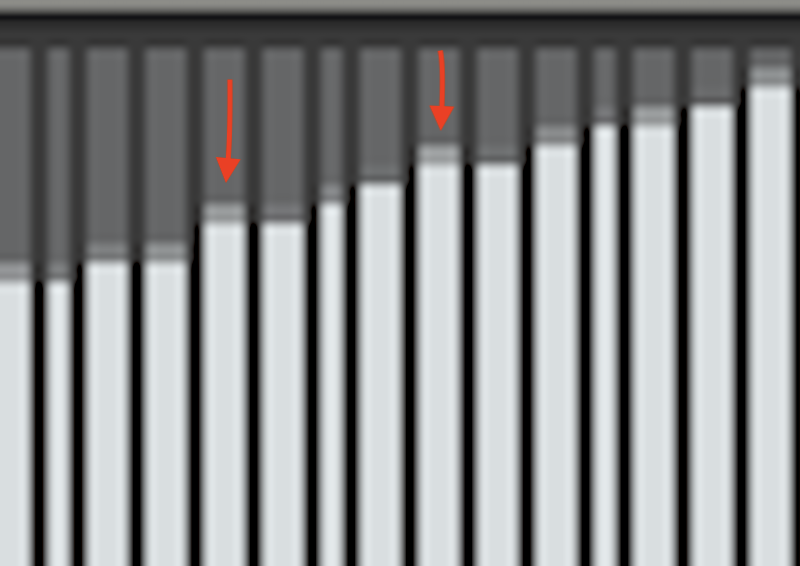
Thank you. That could be a very precise way to get it done. I've been using the Comp/Expd feature, but I'm not sure it's a perfectly smooth curve. Some bars look taller when they should be shorter. It doesn't always look like it's a precise graduation effect like it should be. Maybe that's just the way the graph portrays it. It's so small I really can't tell for sure. Here is a picture of my current curve and a crop of a few bars with arrows marked over the bars that appear to me to be taller than they should be. There are bars like that throughout the entire curve. Maybe it just an illusion of the graph and it actually does graduate evenly. I don't know.

God Bless,
David


MacMacMac

Yes, that one gives you full control. In your enlargement I think there's really no issue. That's just dithering in the image that's done to smooth the visual appearance of the bars.

Does Kontakt remember your curve settings and restore them whenever you restart Kontakt?


David B

MacMacMac Does Kontakt remember your curve settings and restore them whenever you restart Kontakt?

If I save everything as a .nkm file then everything is recalled when I open it, i.e., piano settings, velocity curve, and eq output settings. Alternatively, I could save just the touch curve setting as a mulitscript and then add it to any instrument I open up.

MacMacMac That's just dithering in the image that's done to smooth the visual appearance of the bars.

I like that word "dithering." 🙂 I hope that you're right.

God Bless,
David


jdg78

David B

Hi David,

Just curious - how did you manage to unlock the “crossgrade” discount for the full version of Kontakt? I also own Noire as well as a few other NI instruments, but they still want to charge me $200 for the full version, so I wonder if I’m not doing something correctly.

I’m not really interested in the additional editing features, but there are several libraries I’ve had my eye on that only are compatible with the full version of Kontakt.

I’ve been balking at spending $200 just for the privilege of being able to buy even more VSTs, but if I could get it for $100, it becomes a much more tempting proposition.


jdg78

David B

Thanks for the info. I tried and it offered me a $75 discount, so I could get it for $125. I think because I bought the Noire for half price during a holiday sale, it must not qualify me for the full $100 off.

In any case, still deciding whether or not it's worth it. Thanks again!


David B

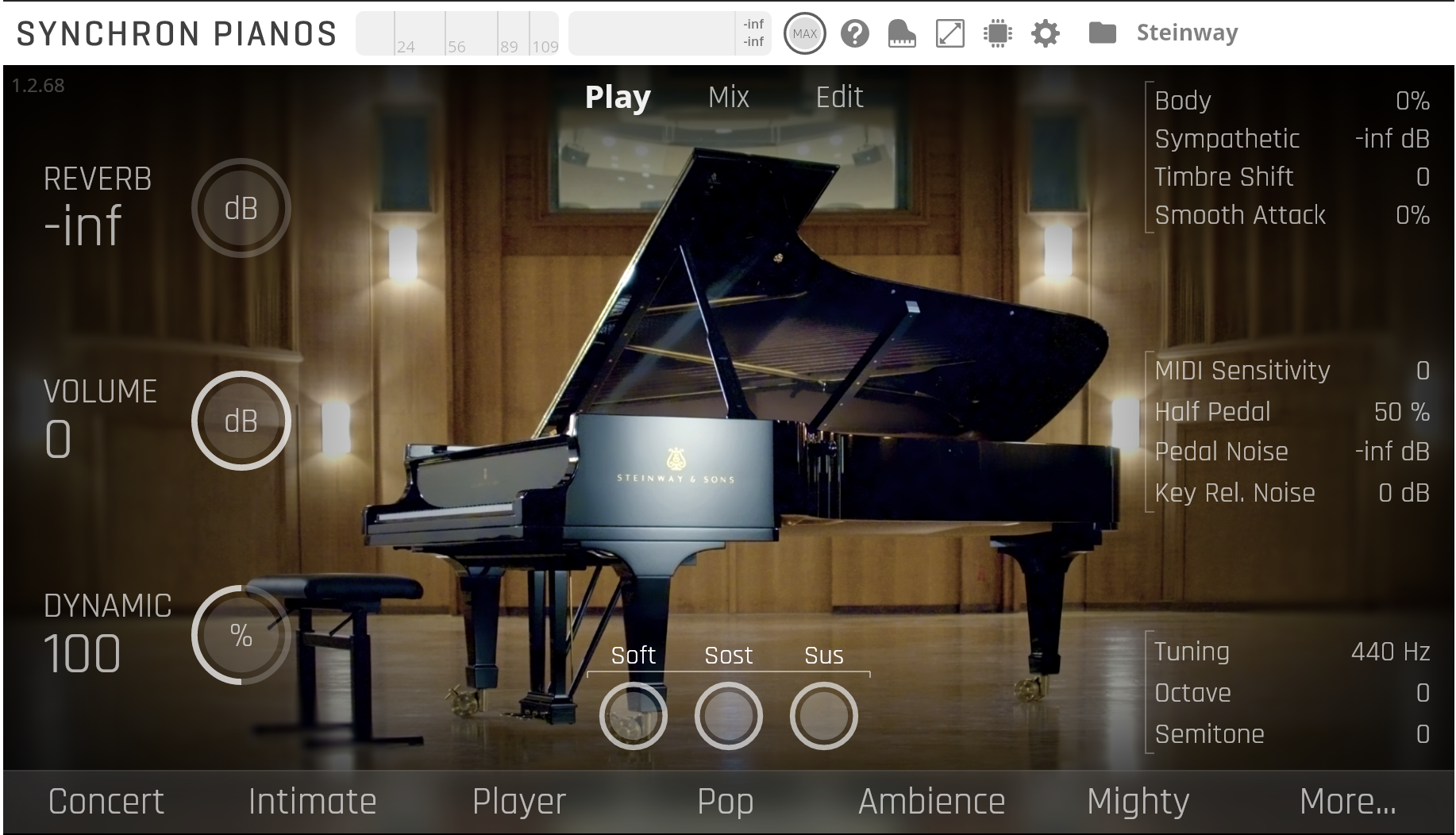
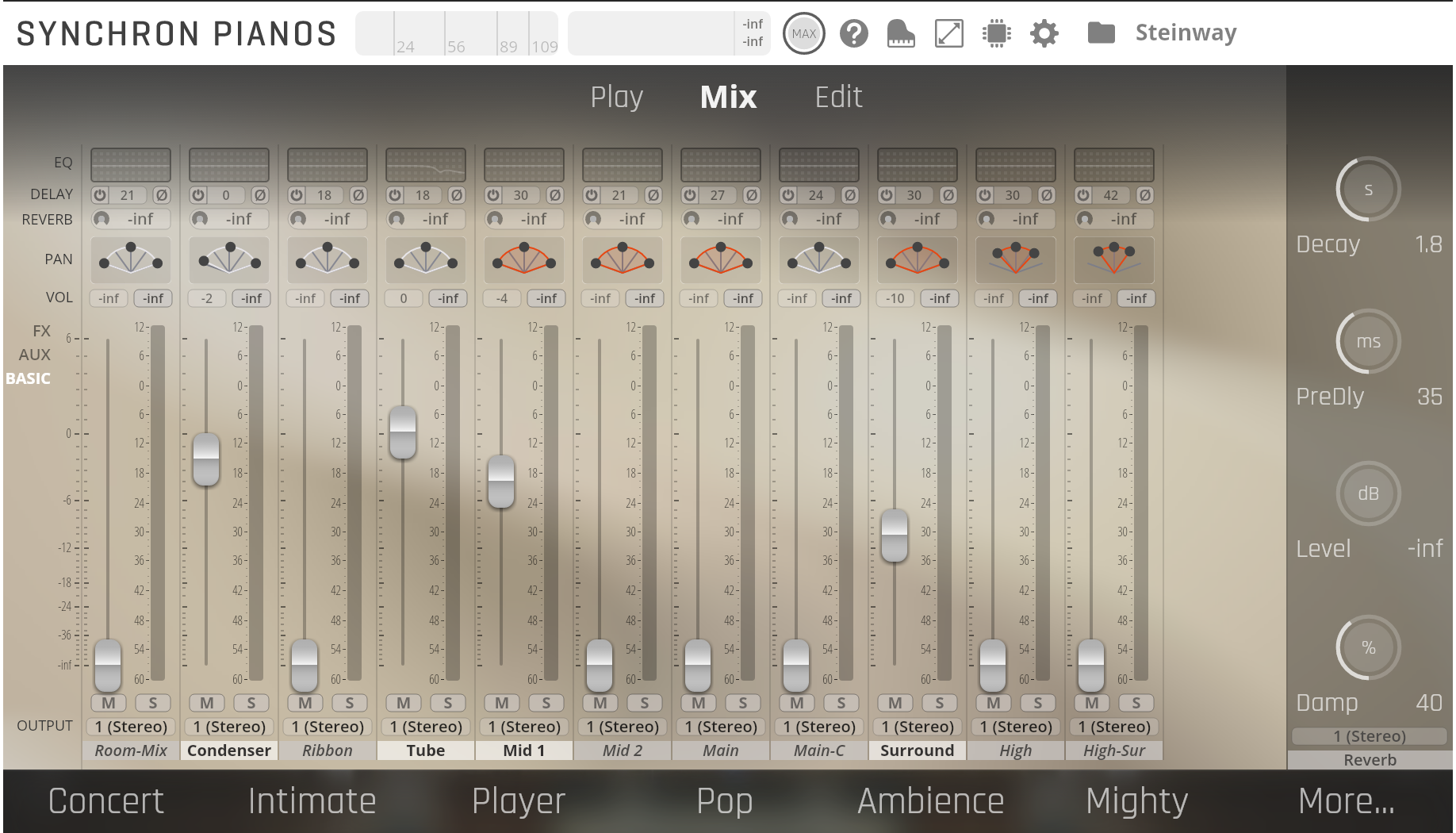
Utilizing VSL's demo license period I rekindled a flame for the Steinway D-274. I owned it once before but sold it because it felt too percussive and harsh in the attack. However, that was before VSL upgraded their Synchron Piano Player with a velocity curve editor. Now that I can fine tune the velocity curve I've found that I really like the D-274. I actually like it better than the VSL Bosendorfer Imperial that I've been using since it came out. The D-274 (with the adjusted velocity curve for my N1X) has a sweeter tone, better overall dynamic range with greater playability and expression at lower volumes. I just sold my VSL Bluthner 1895 license and plan on buying the D-274 (for the second time) at the discounted price. Here are Gene's tracks with my D-274 settings.

file-1.mp3
file-2.mp3


God Bless,
David


nicknameTaken

I like the first in the poll more. I didn't read any of the spoilers. It goes by feeling.


« Previous Page Next Page »