Skip to content

Virtual piano comparison

David B

CyberGene I don't know if you've seen this, but this guy crushes it on the 280VC. Evidently, according to VSL, we are hearing VSL's 280VC sample library being controlled via midi by this real 280VC/disklavier.

I like my preset with the cut highs a bit better, but this guy's playing is off the hook. 😀 Listen to his various arrangements in this video.

God Bless,
David


navindra

vagfilm In my opinion, Pianoteq' resonance sounds realistic and very complex if you listen to separate notes, but when the notes are played close together, the resonances piggy-back on each other and becomes a continuous "shrill/ringness" that buries the individual notes. In most pieces, that continuous metallic ring gives me ear-fatigue very rapidly. Your tamale-a example is a very good example of that, while the resonance in the tamale-z sounds more tamed but it is still tiring. In the tamale-a listen to the section that starts at the 55 seconds: the fundamental of the notes are buried beneath their own "halo"... The problem is that if you reduce too much that resonance, then pianoteq sound becomes very thin. To me, Pianoteq resonance is at the same time the best and the worst feature of Pianoteq...

Of course, the one you like best is Pianoteq with the resonance dialed down. I did leave a little bit in. The one you didn't like isn't Pianoteq at all but a sampled Steinway.

My goal with the experiment was to find out whether the objection was to the basic sound/tone of the Steinway or to the resonance. Particularly, because the top samplers like VSL seem to do such a bad job at resonance that everyone sets it to negative infinity anyway.

To me, having no resonance modeling sounds completely lifeless... I'm used to gobs of resonance from my acoustic.


HZPiano

David B

Nice!!

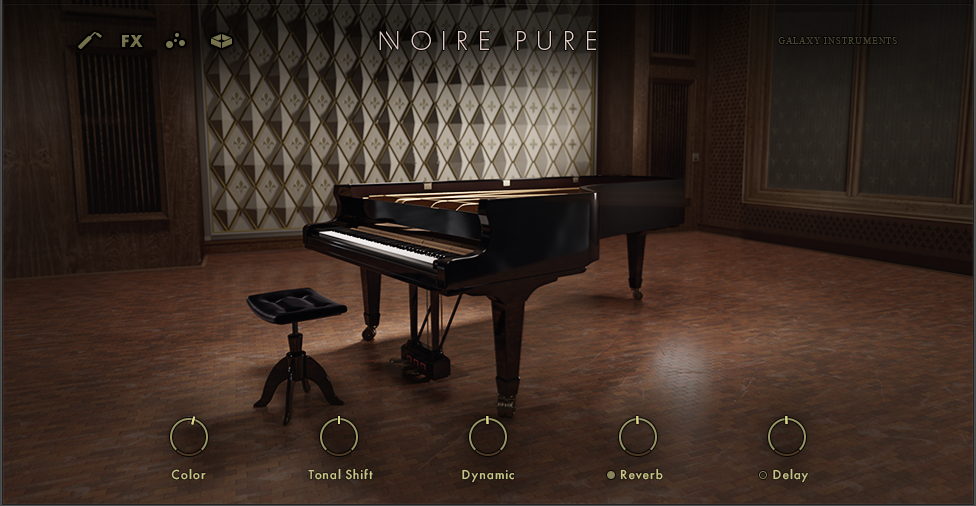
Gosh I love that low wood succulence of Noire. That definitely isn't there in the Ravenscroft. Which is a wholly different piano, of course.

I never thought much of Yamaha's philosophy shift in the CFX, but more recently it is definitely growing on me.

These two renderings sound really good.

Cheers and happy lovely sounds,

HZ


David B

HZPiano Gosh I love that low wood succulence of Noire.

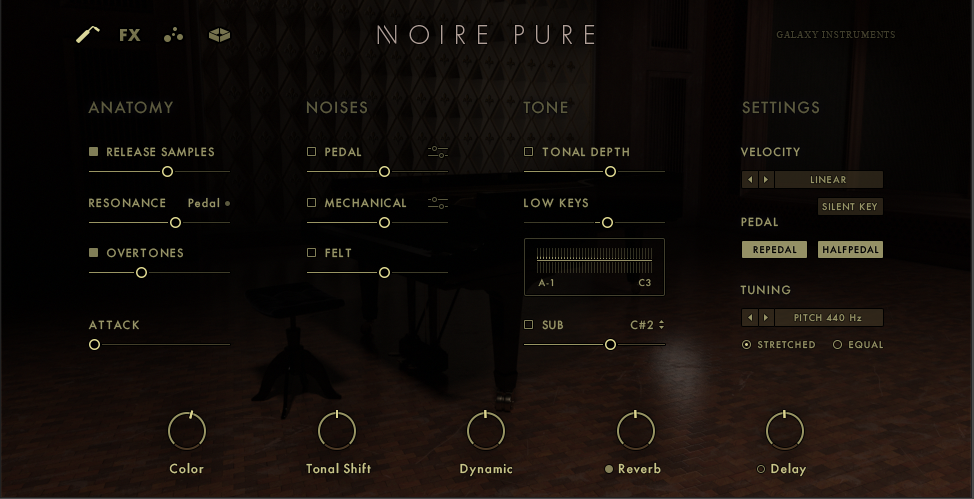
Me too. I worked yesterday and today on shaping the velocity curve for my N1X. My previous setting didn't give me access to all 22 layers (I was only reaching layer 17), but now it's zeroed in. I think there is one note in CyberGene's pieces that reaches layer 21.

I found it really difficult to work with the Kontakt velocity curve editor. I'm sure there is a way to use the script editor, but I'm not smart enough to understand the code.

God Bless,
David


CyberGene

It sounds great! I never paid attention to this piano before. My two performances are as though I played them on the Noire. I guess it’s because you optimized the touch curves. Great job!


HZPiano

David B I found it really difficult to work with the Kontakt velocity curve editor. I'm sure there is a way to use the script editor, but I'm not smart enough to understand the code.

Yes it is far from easy to use. As are quite a few aspects of Kontakt. And the same happened here: also having the inclination to divert to that script editor, but abandoned that idea as well. Also, that script might be more about the editor than the curve itself. But I didn't study that in any depth whatsoever.

So a 👍 to you for managing it anyway.

How did you determine 'only reaching 17 layers' vs. 'reaching all 22'? I guess the source is Yamaha's tendency to stop early (around e.g. velocity value 107 out of 127), but how did you know the number of layers reached with that?

Cheers and the happiest playing,

HZ


David B

HZPiano How did you determine 'only reaching 17 layers' vs. 'reaching all 22'?

So the Kontakt 6 Player is free and that's what I was using. But I noticed that the actual Kontakt 6 was half price ($199.00), and then because I acquired the Noire license, I was eligible for the "Crossgrade" discount which took another 100 dollars off. So I bought Kontakt 6 for aprox $100. Before I bought it I searched YouTube videos and forums hoping to find out if Kontakt 6 would enable me to adjust the velocity curve editor better (to no avail). So I bought it on faith, but unfortunately, it worked the same way the the free player did in relationship to the velocity curve editor. I was really bummed and felt like I had just wasted $100. 🙁

However, it does have more advanced features (compared to the free player) that I'll most likely never use (except for one). It has a midi mapping editor that shows you how many layers the instrument has and what midi values are assigned to each layer. With that information I was able to go back to the velocity curve editor and make the necessary adjustments to sync my controller and the software. It was a very tedious process and I'm sure there has to be an easier way to to do it, but in the end, I got it done. Then I didn't feel as bad about spending the $100.

If I was more patient and made some inquires on different forums, I might have accomplished my purpose without having to buy Kontakt 6, but I HATE waiting when I want to get something done. It's a character flaw that sometimes comes back to sting me.

God Bless,
David


HZPiano

David B Oh I see. I've seen that layer information panel in full Kontakt in a YouTube video or two -- highly likely in the process of estimating Noire before buying it. But I have never had the full Kontakt actually at hand.

In any case, I'd say cleverly and analytically done because those two examples sound the business. @CyberGene declaring them "sounding as played" is telling.

Cheers and a happy Wednesday,

HZ


MacMacMac

David B ... hoping to find out if Kontakt 6 would enable me to adjust the velocity curve editor better (to no avail).

Kontakt has a limited "graphing" capability. It's just a series of bars (128 of them, I think), and you can grab any one of the bars and adjust it, up or down.

This graphing unit can be used for a number of things. It's often used as a velocity editor. But hand mousing the bars stinks, so some instruments include knobs that provide curve shifting. That's far better than one-bar-at-a-time tweaking, but it still stinks.

I gave up on that LONG ago. Instead I use a freeware program called (simply enough) Velocity Curve. It runs on Windows. It works much like the velocity editor in Pianoteq (which is the ONLY good feature in Pianoteq IMO). It's very easy to use.

Velocity Curve reads from your main MIDI input device and sends the adjusted MIDI to a selected output. To connect it to Kontakt you need some MIDI plumbing, easily provided by loopMidi (also freeware). You send the Velocity Curve output to "LoopMidi 1", and you tell Kontakt to read from "LoopMidi 1". Simple.

The author (Trombettworks) no longer has a web site. But I can provide you the program. I've had it stored on Google drive for the benefit of anyone who wants it:
drive.google.com/file/d/1xKYhwCc9l_N9NThPnZJJUPpp-CH_ImRy/view?usp=sharing


HZPiano

MacMacMac for the benefit of anyone who wants it

Thanks @MacMacMac for sharing. As I already use LoopMidi for various 'plumbing' (as well as MIDI-OX) I'll try that .exe as well. Just downloaded it.

@David B would need some Apple-compatible equivalent(s), although he's already done the hard work in Kontakt.

Cheers and happy pipelining,

HZ


David B

MacMacMac This graphing unit can be used for a number of things. It's often used as a velocity editor. But hand mousing the bars stinks, so some instruments include knobs that provide curve shifting. That's far better than one-bar-at-a-time tweaking, but it still stinks.

Yes, one bar at a time is tedious. However, if there was a way to make the graph bigger it wouldn't be so bad. I would imagine there is some way to increase the size using the script editor, but that's beyond my capability. I'm still looking into it though.

God Bless,
David


vagfilm

David B if there was a way to make the graph bigger

Unfortunately, I don't think there is... And my 2 cents: don't get anywhere near the script. Galaxy has very convoluted scripts impossible to understand.


Frédéric L

David B Most commercial libraries for Kontakt have their scripts locked (you need a password to access them).

But, if UI elements are just drawn, it might be possible to change their geometry.

On Bechstein Digital Grand, there is a large waveform : 88 settings which take nearly the whole width of the window.


dore_m

vagfilm Galaxy has very convoluted scripts impossible to understand.

My thoughts exactly.


MacMacMac

You can write your own Kontakt script to do this. I've done a velocity editor in Kontakt's KSP ... but I abandoned it because the 128-bar thing is a pain. I much prefer my other solution.

But if you wish you can add a global velocity curve script (a multi-script in their parlance) ... or you can have an individual script for each loaded instrument (though I've never tried that).

As vagfilm has pointed out, the scripting built into each instrument is cryptic. But you need not look at those at all. You can add your own scripting to do the job. And you can get help at the Kontakt scripting forum. One of the developers at Native Instruments (he calls himself Evil Dragon) provides assistance. He knows KSP inside and out, and he helped me get started with it long ago.

And I think vagfilm is right in that you cannot enlarge that 128-bar adjusto-thingie graph. The size of many (most?) visual elements is fixed.


vagfilm

I think it is fairly easy to add the mapping directly to the script AFTER you are set with the curve values, but it does not save you from painstaking adjustment. But you can do an hybrid approach: use a tool such as what Mac suggested to finetune the curve, and then embed it on the script.
In a couple of days I will have more time and will look into the script.


vagfilm

@David B
I have made a small Kontakt script for velocity mapping. It is convenient and can be adapted to any Kontakt library, but it still is a pain to fine tune the curve...

What you do is:

  1. Open Kontakt and the library (Noire in this case)
  2. Click the KSP button on the top right (below the NI logo and CPU meter)
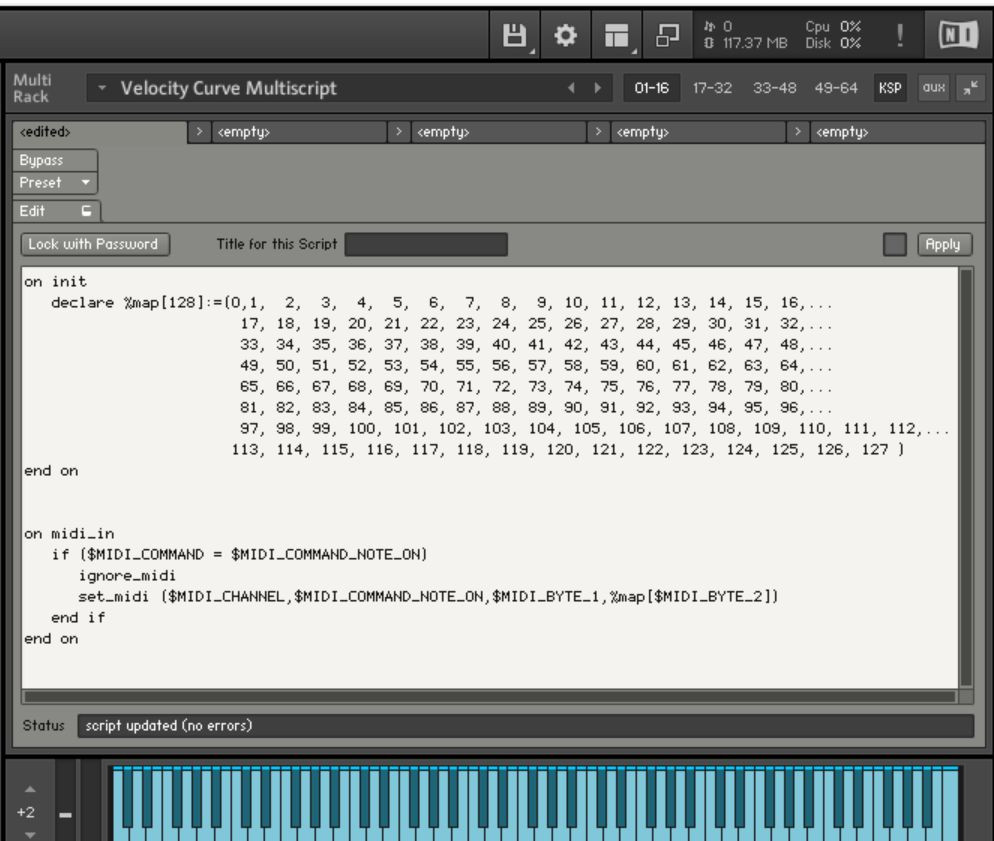
  3. On the window that opens, paste the following code:

on init
declare %map[128]:=(0, 1, 2, 3, 4, 5, 6, 7, 8, 9, 10, 11, 12, 13, 14, 15, 16,...
17, 18, 19, 20, 21, 22, 23, 24, 25, 26, 27, 28, 29, 30, 31, 32,...
33, 34, 35, 36, 37, 38, 39, 40, 41, 42, 43, 44, 45, 46, 47, 48,...
49, 50, 51, 52, 53, 54, 55, 56, 57, 58, 59, 60, 61, 62, 63, 64,...
65, 66, 67, 68, 69, 70, 71, 72, 73, 74, 75, 76, 77, 78, 79, 80,...
81, 82, 83, 84, 85, 86, 87, 88, 89, 90, 91, 92, 93, 94, 95, 96,...
97, 98, 99, 100, 101, 102, 103, 104, 105, 106, 107, 108, 109, 110, 111, 112,...
113, 114, 115, 116, 117, 118, 119, 120, 121, 122, 123, 124, 125, 126, 127 )
end on

on midi_in
if ($MIDI_COMMAND = $MIDI_COMMAND_NOTE_ON)
ignore_midi
set_midi ($MIDI_CHANNEL,$MIDI_COMMAND_NOTE_ON,$MIDI_BYTE_1,%map[$MIDI_BYTE_2])
end if
end on

  1. It should look like this:

  2. On the Kontakt menu, click on the "floppy drive icon", choose "Save Multi as..." and save the .nkm file to your location of choice (I suggest the Noire Instrument folder, and name it, for example, "Noire - custom velocity.nkm"), and click the option "patch only" on the save file dialog). When you first launch the nkm instrument it will ask you to use that multi for all instruments. Once in memory, that velocity curve is now applied to all libraries. If you need custom velocity curves for each library (most certainly), when you launch the nkm for the second library, it will replace the one in use, and so forth...

  3. If you look at the code, the velocity is set as linear: 0-127 in steps of 1. Now comes the boring part... What you need is to create a table of velocity-in / velocity-out. My suggestion is to make an excel with one vertical column with values 0 through 127 in the rows. Now start populating a second column with a few mapping values: vel 40 will be 30, vel 60 will be 40 (really flat curve!!!), vel 80 will be 90 (sharp rise), etc. Now fill in values in all empty excel cells. When done, copy the series of values of that second column, and paste into a word doc (paste as "text only" otherwise it will paste as excel object and it will mess everything). Click "Select All", "replace" and replace "p" (code for paragraph break) with ",". It should have changed from:
    1
    1
    2
    2
    3
    3
    to: 1,1,2,2,3,3,

Copy that series of numbers and paste into the script code into the %map variable. Click "apply" on Kontakt and see if the velocity is ok.

Two words of caution:

  • keep the first two values as "zero" and "one", because vel=0 is a note off for most libraries, and vel=1 is a silent note for a few libraries.
  • remember that %map needs to have exactly 128 values separated by ",": thus it should always be:
    declare %map[128] := (0,1, 126 more numbers)

I agree: not the most straightforward process, but that is Kontakt.

Hope it helps...


vagfilm

If this velocity script is of interest to a few, let me know and I may write a simple Python script to generate a full velocity curve from a list of mappings. You simply provide a few mapping points velocity-in, velocity-out such as:
2,2
10,8
60,40
90,72
127,120
and the program will generate the entire range of 128 values, ready to be copied and paste into the Kontakt script.


MacMacMac

As much as I dislike that 128-bar thing in Kontakt ... wouldn't it be easier to use freeware KSP code to create a velocity curve element ... and adjust those bars to suit? Once adjusted the bar values can be made persistent.


« Previous Page Next Page »