Skip to content

Virtual piano comparison

navindra

David B I'm still curious to understand the source of the shrillness you mention, so here are some experimental renders. Are either or both of these an improvement for you? (I feel like an optometrist.)

enchilada-or-tamale-a.mp3
3MB
enchilada-or-tamale-z.mp3
2MB

vagfilm

Hi navindra : Obviously I cannot speak for @David B so I don't really know what does he refer by "shrillness", but I know what I call "Pianoteq shrillness" and I complain from, and maybe it is the same thing: it is an overdone resonance that is really loud and almost continuous in volume and pitch. In my opinion, Pianoteq' resonance sounds realistic and very complex if you listen to separate notes, but when the notes are played close together, the resonances piggy-back on each other and becomes a continuous "shrill/ringness" that buries the individual notes. In most pieces, that continuous metallic ring gives me ear-fatigue very rapidly. Your tamale-a example is a very good example of that, while the resonance in the tamale-z sounds more tamed but it is still tiring. In the tamale-a listen to the section that starts at the 55 seconds: the fundamental of the notes are buried beneath their own "halo"... The problem is that if you reduce too much that resonance, then pianoteq sound becomes very thin. To me, Pianoteq resonance is at the same time the best and the worst feature of Pianoteq...
I am always hopeful that I can find or modify a preset that tames the resonance and keeps the spatial spread using reverb. But I was never capable of achieving that in the demos (I confess to give up easily).


David B

The Modern U with my custom preset.

piano-12.mp3
2MB
piano-22.mp3
2MB

screen-shot-2022-01-16-at-73342-pm.png

screen-shot-2022-01-16-at-73357-pm.png

screen-shot-2022-01-16-at-73418-pm.png

screen-shot-2022-01-16-at-73438-pm.png

God Bless,
David


navindra

David B Thanks for the efforts, David. Sadly it seems like the Modern U disappoints here.

The sound is strangely thin and artificial. Weirdly, even though you cranked up the sympathetic resonance, it seems to be quite lacking.


David B

VSL Bösendorfer 280VC with my custom preset. I've been enjoying this 280VC lately. I like the intimate rendering in the smaller stage B.

280vc1.mp3
3MB
280vc2.mp3
3MB

screen-shot-2022-02-02-at-82604-am.png

screen-shot-2022-02-02-at-82650-am.png

screen-shot-2022-02-02-at-82710-am.png

God Bless,
David


CyberGene

David B I'm not a huge fan of 280VC demos on the Internet but the ones you exported here sound pretty good. It's still rather bright but it suits the music I played. I think I prefer the darker and more distant character of Garritan CFX but for more jazzy type of music (what I actually played here), a closer, brighter and more open character as the 280VC is also excellent 👍🏻


David B

CyberGene It's still rather bright but it suits the music I played.

Yeah, I've been working to try and tame some of (what Bösendorfer calls) the "sparkle" in the 280VC. Particularly in the upper register. I started by reducing the gain in the 1300 - 8000 frequency range on all the mics I'm using.

screen-shot-2022-02-02-at-101455-am.png

and then working on some very specific frequencies that I found too shimmery.

screen-shot-2022-02-02-at-102330-am.png

and of course adjusting the velocity curve editor for my N1X.

screen-shot-2022-02-02-at-105454-am.png

I attenuated the volume slightly up to 80 and then began a gradual increase so that my N1X can hit 115, which is the highest I want to go with this sample library. I think the highest velocities in your pieces were between 104-110.

It's still a brighter piano but a nice contrast to my VSL Bösenderfer Imperial that is darker and warmer. It's nice to have variety and switch things up occasionally. My ears get board hearing the same thing everyday. I'm happy with this current 280VC preset.

God Bless,
David


David B

CyberGene I don't know if you've seen this, but this guy crushes it on the 280VC. Evidently, according to VSL, we are hearing VSL's 280VC sample library being controlled via midi by this real 280VC/disklavier.

I like my preset with the cut highs a bit better, but this guy's playing is off the hook. 😀 Listen to his various arrangements in this video.

God Bless,
David


navindra

vagfilm In my opinion, Pianoteq' resonance sounds realistic and very complex if you listen to separate notes, but when the notes are played close together, the resonances piggy-back on each other and becomes a continuous "shrill/ringness" that buries the individual notes. In most pieces, that continuous metallic ring gives me ear-fatigue very rapidly. Your tamale-a example is a very good example of that, while the resonance in the tamale-z sounds more tamed but it is still tiring. In the tamale-a listen to the section that starts at the 55 seconds: the fundamental of the notes are buried beneath their own "halo"... The problem is that if you reduce too much that resonance, then pianoteq sound becomes very thin. To me, Pianoteq resonance is at the same time the best and the worst feature of Pianoteq...

Of course, the one you like best is Pianoteq with the resonance dialed down. I did leave a little bit in. The one you didn't like isn't Pianoteq at all but a sampled Steinway.

My goal with the experiment was to find out whether the objection was to the basic sound/tone of the Steinway or to the resonance. Particularly, because the top samplers like VSL seem to do such a bad job at resonance that everyone sets it to negative infinity anyway.

To me, having no resonance modeling sounds completely lifeless... I'm used to gobs of resonance from my acoustic.


HZPiano

David B

Nice!!

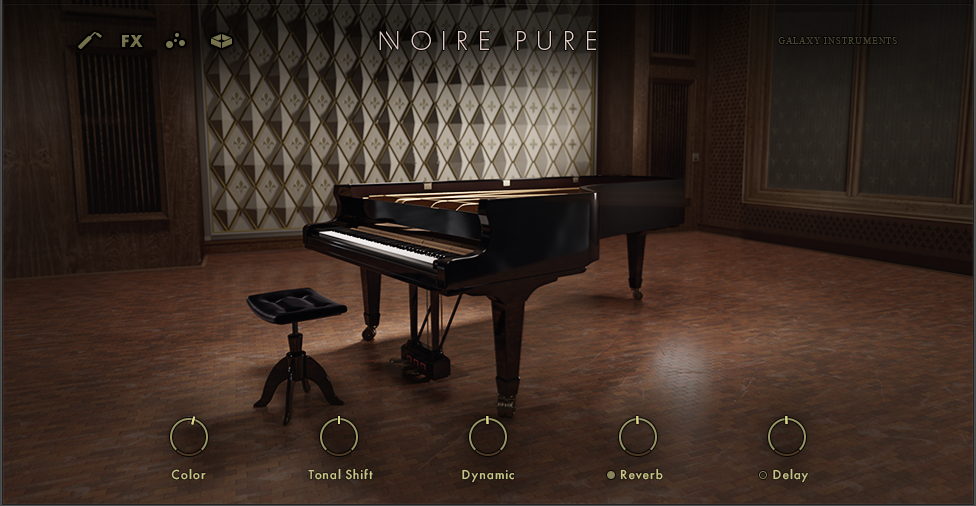
Gosh I love that low wood succulence of Noire. That definitely isn't there in the Ravenscroft. Which is a wholly different piano, of course.

I never thought much of Yamaha's philosophy shift in the CFX, but more recently it is definitely growing on me.

These two renderings sound really good.

Cheers and happy lovely sounds,

HZ


David B

HZPiano Gosh I love that low wood succulence of Noire.

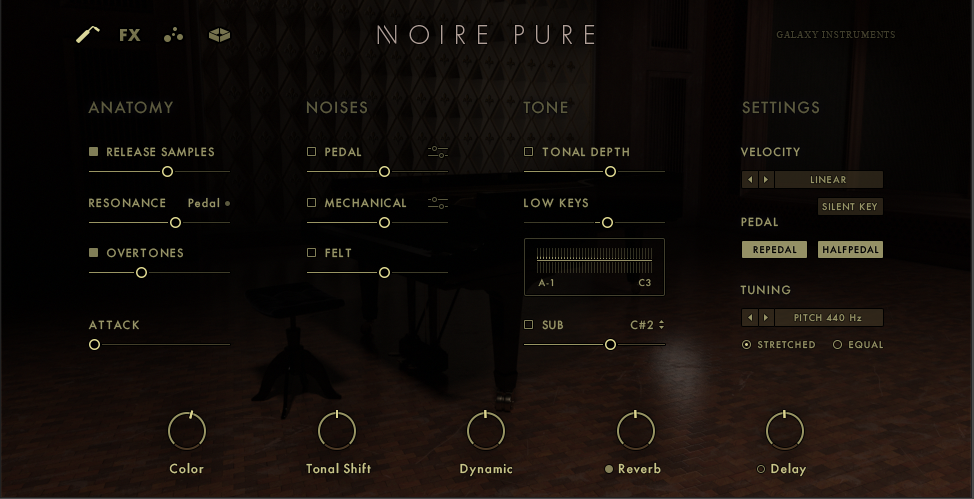
Me too. I worked yesterday and today on shaping the velocity curve for my N1X. My previous setting didn't give me access to all 22 layers (I was only reaching layer 17), but now it's zeroed in. I think there is one note in CyberGene's pieces that reaches layer 21.

I found it really difficult to work with the Kontakt velocity curve editor. I'm sure there is a way to use the script editor, but I'm not smart enough to understand the code.

God Bless,
David


CyberGene

It sounds great! I never paid attention to this piano before. My two performances are as though I played them on the Noire. I guess it’s because you optimized the touch curves. Great job!


HZPiano

David B I found it really difficult to work with the Kontakt velocity curve editor. I'm sure there is a way to use the script editor, but I'm not smart enough to understand the code.

Yes it is far from easy to use. As are quite a few aspects of Kontakt. And the same happened here: also having the inclination to divert to that script editor, but abandoned that idea as well. Also, that script might be more about the editor than the curve itself. But I didn't study that in any depth whatsoever.

So a 👍 to you for managing it anyway.

How did you determine 'only reaching 17 layers' vs. 'reaching all 22'? I guess the source is Yamaha's tendency to stop early (around e.g. velocity value 107 out of 127), but how did you know the number of layers reached with that?

Cheers and the happiest playing,

HZ


David B

HZPiano How did you determine 'only reaching 17 layers' vs. 'reaching all 22'?

So the Kontakt 6 Player is free and that's what I was using. But I noticed that the actual Kontakt 6 was half price ($199.00), and then because I acquired the Noire license, I was eligible for the "Crossgrade" discount which took another 100 dollars off. So I bought Kontakt 6 for aprox $100. Before I bought it I searched YouTube videos and forums hoping to find out if Kontakt 6 would enable me to adjust the velocity curve editor better (to no avail). So I bought it on faith, but unfortunately, it worked the same way the the free player did in relationship to the velocity curve editor. I was really bummed and felt like I had just wasted $100. 🙁

However, it does have more advanced features (compared to the free player) that I'll most likely never use (except for one). It has a midi mapping editor that shows you how many layers the instrument has and what midi values are assigned to each layer. With that information I was able to go back to the velocity curve editor and make the necessary adjustments to sync my controller and the software. It was a very tedious process and I'm sure there has to be an easier way to to do it, but in the end, I got it done. Then I didn't feel as bad about spending the $100.

If I was more patient and made some inquires on different forums, I might have accomplished my purpose without having to buy Kontakt 6, but I HATE waiting when I want to get something done. It's a character flaw that sometimes comes back to sting me.

God Bless,
David


HZPiano

David B Oh I see. I've seen that layer information panel in full Kontakt in a YouTube video or two -- highly likely in the process of estimating Noire before buying it. But I have never had the full Kontakt actually at hand.

In any case, I'd say cleverly and analytically done because those two examples sound the business. @CyberGene declaring them "sounding as played" is telling.

Cheers and a happy Wednesday,

HZ


MacMacMac

David B ... hoping to find out if Kontakt 6 would enable me to adjust the velocity curve editor better (to no avail).

Kontakt has a limited "graphing" capability. It's just a series of bars (128 of them, I think), and you can grab any one of the bars and adjust it, up or down.

This graphing unit can be used for a number of things. It's often used as a velocity editor. But hand mousing the bars stinks, so some instruments include knobs that provide curve shifting. That's far better than one-bar-at-a-time tweaking, but it still stinks.

I gave up on that LONG ago. Instead I use a freeware program called (simply enough) Velocity Curve. It runs on Windows. It works much like the velocity editor in Pianoteq (which is the ONLY good feature in Pianoteq IMO). It's very easy to use.

Velocity Curve reads from your main MIDI input device and sends the adjusted MIDI to a selected output. To connect it to Kontakt you need some MIDI plumbing, easily provided by loopMidi (also freeware). You send the Velocity Curve output to "LoopMidi 1", and you tell Kontakt to read from "LoopMidi 1". Simple.

The author (Trombettworks) no longer has a web site. But I can provide you the program. I've had it stored on Google drive for the benefit of anyone who wants it:
drive.google.com/file/d/1xKYhwCc9l_N9NThPnZJJUPpp-CH_ImRy/view?usp=sharing


HZPiano

MacMacMac for the benefit of anyone who wants it

Thanks @MacMacMac for sharing. As I already use LoopMidi for various 'plumbing' (as well as MIDI-OX) I'll try that .exe as well. Just downloaded it.

@David B would need some Apple-compatible equivalent(s), although he's already done the hard work in Kontakt.

Cheers and happy pipelining,

HZ


David B

MacMacMac This graphing unit can be used for a number of things. It's often used as a velocity editor. But hand mousing the bars stinks, so some instruments include knobs that provide curve shifting. That's far better than one-bar-at-a-time tweaking, but it still stinks.

Yes, one bar at a time is tedious. However, if there was a way to make the graph bigger it wouldn't be so bad. I would imagine there is some way to increase the size using the script editor, but that's beyond my capability. I'm still looking into it though.

God Bless,
David


vagfilm

David B if there was a way to make the graph bigger

Unfortunately, I don't think there is... And my 2 cents: don't get anywhere near the script. Galaxy has very convoluted scripts impossible to understand.


« Previous Page Next Page »